
Deadline Tracking for Accountants
How to Never Miss a Tax Return Again
Missing a tax deadline isn’t just embarrassing. It’s expensive. For your client, it means penalties starting at $485 and climbing to 25% of the tax owed. For your firm, it means damaged trust, potential malpractice claims, and the sinking feeling that comes from knowing you let a client down. This is why effective deadline tracking for accountants isn’t optional — it’s survival.
You know the feeling. It’s Friday afternoon, you’re finally catching up on work, and then you spot it: a client’s tax return that should have been filed three days ago.
Your stomach drops. How did this slip through? You thought someone was handling it. You could have sworn you set a reminder. But between juggling 50 other clients, team questions, and back-to-back meetings, this one just… fell through the cracks.
Now you’re making the call no accountant wants to make: “I have some bad news about your tax filing…”
The Real Cost of a Missed Tax Deadline
Let’s talk numbers. When a tax return is filed late, the IRS charges a failure-to-file penalty of 5% of the unpaid taxes for each month (or partial month) the return is late, up to a maximum of 25%.
But it gets worse. If the return is more than 60 days late, there’s a minimum penalty of $485 (for 2024) or 100% of the tax due, whichever is less.
On top of that, the IRS charges daily compounded interest on unpaid taxes — currently around 7-8% annually. Interest continues until the full balance is paid, including penalties.
Here’s what that looks like in practice:
- Client owes $2,000, files 2 months late: $200 failure-to-file penalty + $75 failure-to-pay penalty + interest = $275+ in penalties
- Client owes $600, files 3 months late (past 60 days): $525 minimum penalty + $28 failure-to-pay penalty + interest = $553+ total
That’s money coming directly out of your client’s pocket. Because of a missed deadline.

Who Pays When Deadlines Are Missed?

Here’s the thing that keeps firm owners up at night: the client faces the penalties, but the accounting professional faces the consequences.
If you behaved negligently or didn’t follow professional standards, clients can (and do) sue for malpractice. They can report you to the IRS or your state licensing board. And even if it doesn’t get that far, you’ve damaged the trust that took years to build.
According to Mosey’s 2025 Multi-State Compliance Benchmark Report, one-third of companies incurred compliance-related penalties in the last year, averaging $16,000 per affected company. While that stat covers all compliance penalties (not just tax), it shows how quickly missed deadlines add up.
Why Spreadsheets Fail at Deadline Tracking for Accountants
If you’re still tracking deadlines in Excel, you already know the problem: spreadsheets only work until they don’t. When it comes to reliable deadline tracking for accountants, manual methods simply can’t scale.
At first, it’s manageable. You’ve got 10 clients, color-coded rows, formulas that highlight upcoming deadlines. You check it every morning. It feels organised.
Then you grow to 30 clients. Then 50. Then 100. Suddenly, that spreadsheet is 14 tabs deep with nested formulas, and no one on your team wants to touch it because they’re afraid they’ll break something.
Here’s why spreadsheets fail at scale:

1. They Require Manual Updates
Every time a deadline changes — an extension is filed, a client adds a new return, a due date shifts — someone has to manually update the spreadsheet. Miss one update, and the whole system becomes unreliable.
2. They’re Prone to Human Error
Research from Mosey found that 55% of companies still rely on spreadsheets for tracking compliance obligations — and manual tracking virtually guarantees failure at scale.
One typo in a date. One wrong formula. One “I thought someone else was handling that.” And a deadline falls through.
3. They Don’t Send Reminders
A spreadsheet sitting on your desktop isn’t going to tap you on the shoulder when a deadline is approaching. You have to remember to check it.
That works fine — until you’re in back-to-back client meetings, dealing with an urgent issue, or simply having a busy week. The spreadsheet doesn’t care. The deadline still passes.
4. They Show No Accountability
When multiple people share a spreadsheet, who’s responsible for what? If a deadline is missed, who was supposed to handle it? Spreadsheets don’t track ownership, status, or who last updated what.
Jetpack Workflow puts it plainly: “Accounting firms relying on memory alone to keep up with their clients’ accounting tasks risk overlooking essential work assignments or missing critical deadlines.”
What Effective Deadline Tracking for Accountants Actually Looks Like
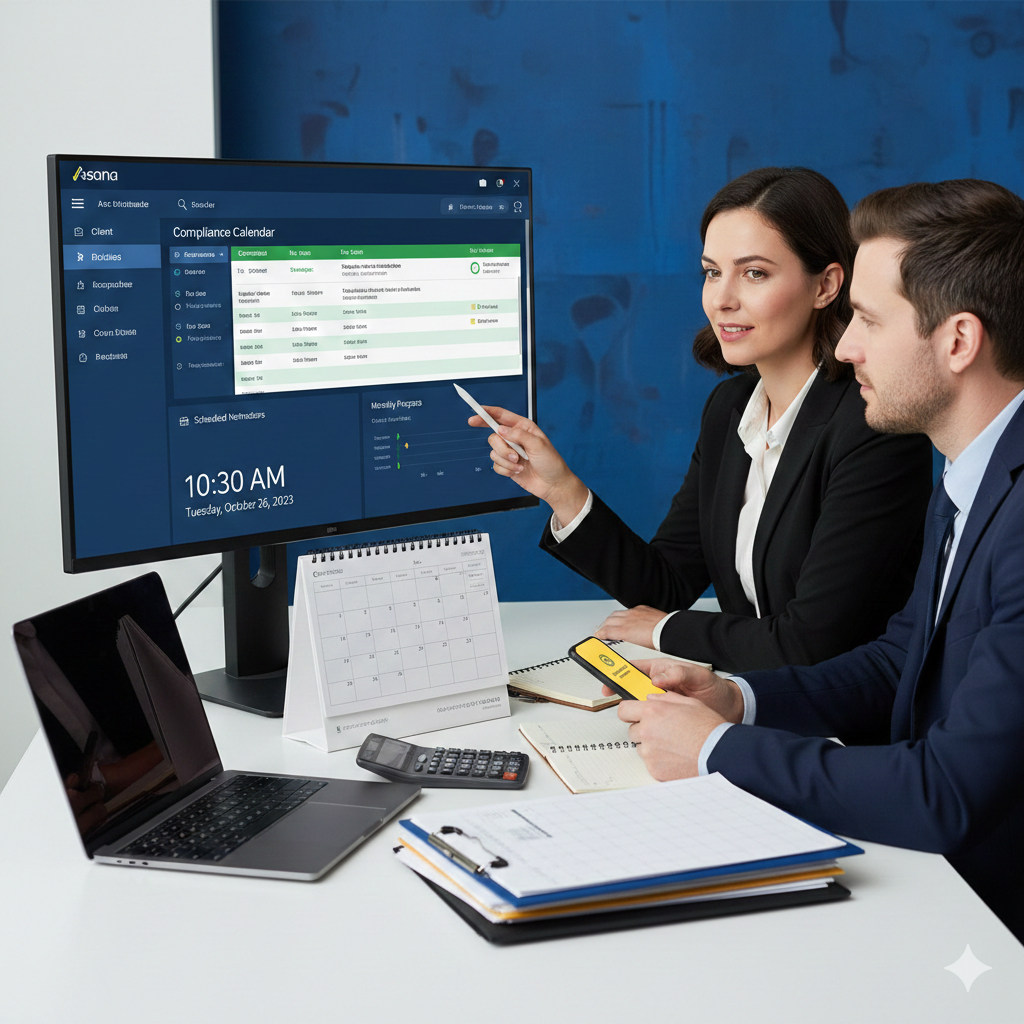
Firms that never miss deadlines aren’t superhuman. They’ve just stopped relying on memory and spreadsheets. Instead, they use automated deadline tracking built into their practice management system — turning what used to be a constant source of stress into a reliable, automated process.
Here’s what changes:
1. Deadlines Are Centralised and Visible
Every tax return, quarterly filing, annual deadline, and one-off project lives in one place. You can filter by client, by team member, by date range. You see exactly what’s due today, this week, this month.
No more digging through emails or checking multiple spreadsheets. Financial Cents explains: “A workflow management system with integrated due date tracking software shows you where every work stands, where every piece of information is, and how your team is spending time.
2. Automated Reminders Keep Everyone on Track
The system sends notifications when deadlines are approaching — 2 weeks out, 1 week out, 3 days out, whatever intervals you set. Your team gets reminders automatically. No one has to remember to check the spreadsheet.
If a deadline is at risk of being missed, you know immediately. Not three days after it’s already late.
3. Recurring Deadlines Happen Automatically
Quarterly filings? Annual tax returns? Monthly bookkeeping? Set them up once, and they automatically generate every time they’re due. Jetpack Workflow highlights this: “Easily edit the due date of individual projects in a recurring series without impacting future deadlines.”
No more manually creating the same task 50 times a year.
4. Clear Ownership and Accountability
Each deadline is assigned to a specific team member. Everyone knows what they’re responsible for. Managers can see who’s overloaded and who has capacity.
When deadlines are transparent and tracked in real-time, accountability stops being a guessing game.
When Do Firms Invest in Deadline Tracking for Accountants?
There’s usually a moment. A wake-up call that makes firm owners realise spreadsheets aren’t cutting it anymore and proper deadline tracking for accountants is essential.
According to Xenett, most accounting practices feel the need for practice management software once they hit 20-30 clients, as manual tracking of tax deadlines, VAT, PAYE, and compliance requirements quickly becomes unmanageable.
Here are the telltale signs it’s time to upgrade:
- You’ve missed (or nearly missed) a deadline in the last 6 months
- You’re spending hours every week updating your deadline spreadsheet
- Team members keep asking “what’s due next?”
- You’re nervous during tax season because you’re not confident you’ve got everything covered
- You’ve grown beyond 20-30 active clients
If any of these sound familiar, you’ve outgrown manual tracking.
How Sliq360 Provides Deadline Tracking for Accountants

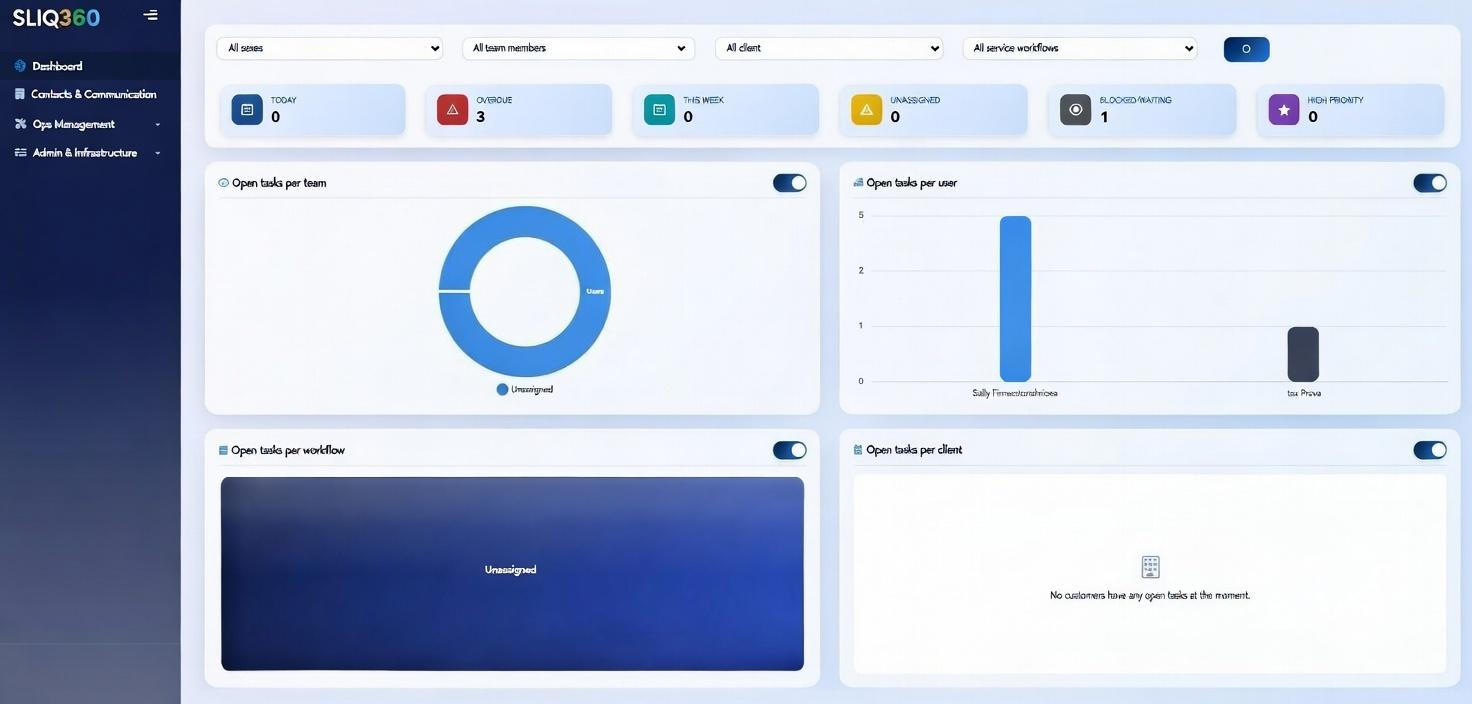
At Sliq360, we built deadline tracking directly into our practice management system because we know how high the stakes are for accounting firms. Our deadline tracking for accountants is designed specifically for small firms who can’t afford to miss a single filing.
Here’s what makes it different:
- Visual deadline dashboard. See all upcoming deadlines at a glance — today, this week, this month, or custom date ranges. Color-coded priorities show what needs immediate attention.
- Automated reminders. Set your notification preferences once. The system handles the rest, sending reminders to the right people at the right time.
- Recurring deadline automation. Annual tax returns, quarterly filings, monthly compliance work — set them up once and let the system generate them automatically.
- Team visibility. Everyone sees the same deadlines in real-time. Managers can spot bottlenecks before they become problems.
- Client communication. Clients receive automatic notifications about upcoming deadlines, so they’re not surprised when you need documents or information.
- Built into your workflow. Deadline tracking isn’t a separate tool you have to check. It’s integrated with everything else you do — client files, document requests, time tracking, billing.
The result? You stop worrying about what you might be forgetting. Because the system remembers for you.
Deadlines Don't Have to Keep You Up at Night
You became an accountant to help clients make smart financial decisions and stay compliant. Not to spend your days stressed about whether you’ve remembered every deadline.
The firms that never miss deadlines aren’t better at remembering things. They’ve just stopped relying on memory. They’ve moved from reactive scrambling to proactive systems that work automatically.
When deadline tracking is automated, you’re not constantly checking spreadsheets or setting calendar reminders. You’re responding to notifications that tell you exactly what needs attention and when.
And here’s what happens next: your clients stop receiving penalty notices. Your team stops feeling overwhelmed during tax season. And you finally get a good night’s sleep during busy season.
Because you know nothing’s falling through the cracks.
Ready to stop worrying about missed deadlines?
See how Sliq360’s automated deadline tracking for accountants keeps your firm on schedule — without the spreadsheet headaches.
Book a demo of Sliq360 today and sleep better during tax season.
Frequently Asked Questions
The client faces IRS penalties: a failure-to-file penalty of 5% per month (up to 25% of unpaid taxes) and a minimum penalty of $485 if filed more than 60 days late. While the client pays the penalties, the accounting professional can face malpractice claims, state board complaints, or damaged client relationships if negligence is proven.
For a client who owes $2,000 and files 2 months late, penalties typically total $275+ (before interest). If they file more than 60 days late, the minimum penalty is $485 or 100% of tax due, whichever is less. The IRS also charges 7-8% annual interest compounded daily on unpaid amounts.
Spreadsheets require constant manual updates, are prone to human error, don’t send automated reminders, and lack accountability tracking. Research shows 55% of companies use spreadsheets for compliance tracking, and manual tracking virtually guarantees failure at scale as firms grow beyond 20-30 clients.
Most firms adopt practice management software with deadline tracking when they reach 20-30 active clients, as manual tracking becomes unmanageable. Warning signs include: missed or nearly-missed deadlines, hours spent updating spreadsheets weekly, team confusion about priorities, and nervousness during tax season.
Yes. Modern practice management systems allow you to set up recurring deadlines (quarterly filings, annual returns, monthly bookkeeping) once, and the system automatically generates them at the appropriate intervals. You can adjust individual occurrences without affecting future deadlines.
You configure notification intervals (e.g., 2 weeks, 1 week, 3 days before deadlines), and the system automatically sends reminders to assigned team members. Unlike calendar reminders or spreadsheet checks that depend on someone remembering to look, automated reminders actively notify the right people at the right time.
Spreadsheets require manual updates, show only static snapshots, can’t send automated reminders, and lack accountability tracking. Practice management software provides real-time visibility, sends automatic notifications, tracks who’s responsible for what, handles recurring deadlines automatically, and integrates with your entire workflow.
Absolutely. Small firms (1-20 people) benefit most because every missed deadline has a bigger impact. Even with just 20-30 clients, manually tracking tax returns, extensions, quarterly filings, and compliance deadlines becomes overwhelming. Automation allows small firms to maintain the reliability of larger firms without adding staff.
Sliq360’s deadline tracking connects directly to client files, document requests, team assignments, and communication. When a deadline approaches, the system can automatically trigger document requests to clients, assign tasks to team members, and update everyone’s dashboard — all without switching between separate tools.