
The Hidden Cost of Using 5+ Tools for One Workflow
You didn’t sign up to be a software administrator. Yet, many accounting firms now juggle separate apps for client onboarding, document collection, task tracking, billing, and team chat. It feels productive, until you track where the hours actually go. That’s where the hidden cost of using 5+ tools for one workflow quietly erodes your margins. In this guide, we’ll break down exactly where that cost hides, how to fix it with simple steps, and why top firms are consolidating their stack in 2026.
Why the Hidden Cost of Using 5+ Tools Drains Firm Profits
Data Duplication: The Hidden Cost of Using 5+ Tools for One Workflow

The problem: Every time a client email, file, or deadline moves between your inbox, a shared drive, a project board, and your billing system, your team re-enters the same details. It’s not just slow. It’s error-prone. In practice, this looks like: a client sends a VAT return PDF via email → an admin saves it to Drive → someone manually types the reference into a task tracker → another teammate copies the deadline into a calendar → billing staff retype the same details to generate an invoice. Each transfer is a chance for typos, version mismatches, or forgotten attachments. Staff end up managing data instead of doing accounting work, and small mistakes quickly snowball into client complaints or rework.
The fix: Map one client journey from intake to delivery. Replace manual copy-paste with automatic sync. Research from Harvard Business Review shows that even small duplications compound into hours of wasted time each week. When you finally see the hidden cost of using 5+ tools for one workflow, the solution is simple: let data flow once, not five times. Set up triggers so that when a client uploads a document, their file auto-creates a task, notifies the right team member, and logs the entry for billing. Eliminate the handoffs, and you eliminate the errors.
Context Switching: How Tool Sprawl Steals Billable Hours

The problem: Every time a client email, file, or deadline moves between your inbox, a shared drive, a project board, and your billing system, your team re-enters the same details. It’s not just slow. It’s error-prone. In practice, this looks like: a client sends a VAT return PDF via email → an admin saves it to Drive → someone manually types the reference into a task tracker → another teammate copies the deadline into a calendar → billing staff retype the same details to generate an invoice. Each transfer is a chance for typos, version mismatches, or forgotten attachments. Staff end up managing data instead of doing accounting work, and small mistakes quickly snowball into client complaints or rework.
The fix: Map one client journey from intake to delivery. Replace manual copy-paste with automatic sync. Research from Harvard Business Review shows that even small duplications compound into hours of wasted time each week. When you finally see the hidden cost of using 5+ tools for one workflow, the solution is simple: let data flow once, not five times. Set up triggers so that when a client uploads a document, their file auto-creates a task, notifies the right team member, and logs the entry for billing. Eliminate the handoffs, and you eliminate the errors.
Compliance Gaps: When Disconnected Apps Create Risk
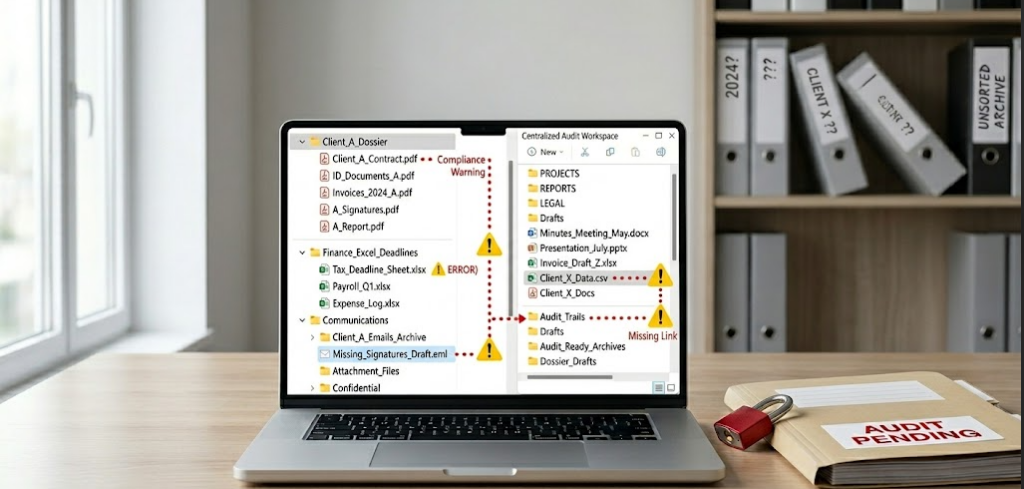
The problem: Jumping between login screens, dashboards, and notifications breaks deep focus. Studies confirm it takes nearly 23 minutes to regain full concentration after an interruption. In an accounting firm, that cognitive shift is expensive. A split-second distraction while reconciling accounts can mean a misplaced decimal. A delayed Slack response can push a client deadline into overtime. Constant tab-switching doesn’t just slow you down—it drains mental energy, increases fatigue, and lowers the quality of your work. Your team isn’t working fewer hours; they’re just working in fragments.
The fix: Group related tasks into one workspace. Use unified alerts instead of scattered pings. As noted in Gartner’s guide to tech consolidation, firms that centralize their workflow see a 30–40% drop in daily distractions. Recognizing the hidden cost of using 5+ tools for one workflow means protecting your team’s focus time—not just their clock hours. When every client file, deadline, message, and timesheet lives under one roof, your staff can batch similar tasks, stay in flow longer, and deliver work faster without sacrificing accuracy.
Final Thoughts: From Tool Chaos to Predictable Profit
Tool sprawl doesn’t just slow you down. It quietly eats into your profitability, focus, and risk management. When your team copies data, jumps between apps, and hunts for files, you’re paying for inefficiency disguised as “modern tech.” The fix isn’t about buying more software. It’s about designing a workflow where information moves once, stays visible, and leaves a clear audit trail.
Firms that audit their tool stack every six months consistently reclaim 8–12 hours per accountant each week. That’s not just time saved. It’s capacity for advisory work, better client retention, and a team that actually leaves work on time. Consolidation isn’t a tech trend. It’s a profit protection strategy.
That’s exactly why we built SLIQ360. It’s a practice management platform designed from the ground up to replace fragmented toolchains with one clean, secure workspace. From client onboarding and document collection to deadline tracking and billing, SLIQ360 keeps everything in one place—so your team works faster, and your firm scales without adding headcount.
Ready to Scale with SLIQ360?
Ready to stop paying the hidden cost of using 5+ tools for one workflow? Book a 15-minute demo of Sliq today, and see how a unified PMS can turn admin chaos into predictable profit. [Schedule Your Demo →]
FAQs: The 2026 MTD Efficiency Audit
It’s the combined loss of time, accuracy, and profit that happens when your team manually moves the same client data between multiple apps. The cost isn’t just subscription fees—it’s hours spent re-entering details, fixing errors, and hunting for files instead of doing billable work.
Ask your team: Do you copy-paste the same client info into 3+ places? Do deadlines get missed because they were logged in the wrong app? Do you spend more time managing tools than serving clients? If yes, you’re likely paying the hidden cost of using 5+ tools for one workflow.
Training helps, but it doesn’t fix structural fragmentation. If your onboarding lives in Typeform, tasks in Asana, files in Drive, and billing in Xero, no amount of training eliminates the handoff gaps. Consolidation addresses the root cause—not just the symptoms
Not if you choose a PMS built for accounting firms. Modern platforms like Sliq are designed to replace 5–7 disjointed tools with one unified workspace—without sacrificing functionality. The goal isn’t to remove features; it’s to connect them around your actual workflow.
Most firms report reclaiming 8–12 hours per accountant per week within the first 30 days. The biggest wins come early: fewer duplicate entries, faster client onboarding, and clearer deadline visibility. Full ROI typically shows within one quarter.
Reputable PMS providers offer secure, guided migration with zero data loss. Before switching, ask for: a sandbox test, a rollback plan, and compliance certifications (GDPR, SOC 2, ISO 27001). The real risk isn’t migration—it’s staying fragmented during peak season.
When every action, file, and message ties to one client record, you automatically create an audit-ready trail. No more digging through emails or shared drives. A single source of truth makes it easy to prove who did what, when, and with which version—critical for MTD submissions, IRS reviews, or client inquiries.
Sliq is built specifically for UK and US accounting firms to centralize: client onboarding, document collection, task & deadline tracking, team collaboration, time logging, and billing prep. While niche tools (e.g., advanced tax software) may still integrate via API, Sliq replaces the core operational stack—so you stop paying the hidden cost of using 5+ tools for one workflow.